
Operations & Growth
Production Planning Software for Small Makers: A Buyer’s Guide Built Around Real Work
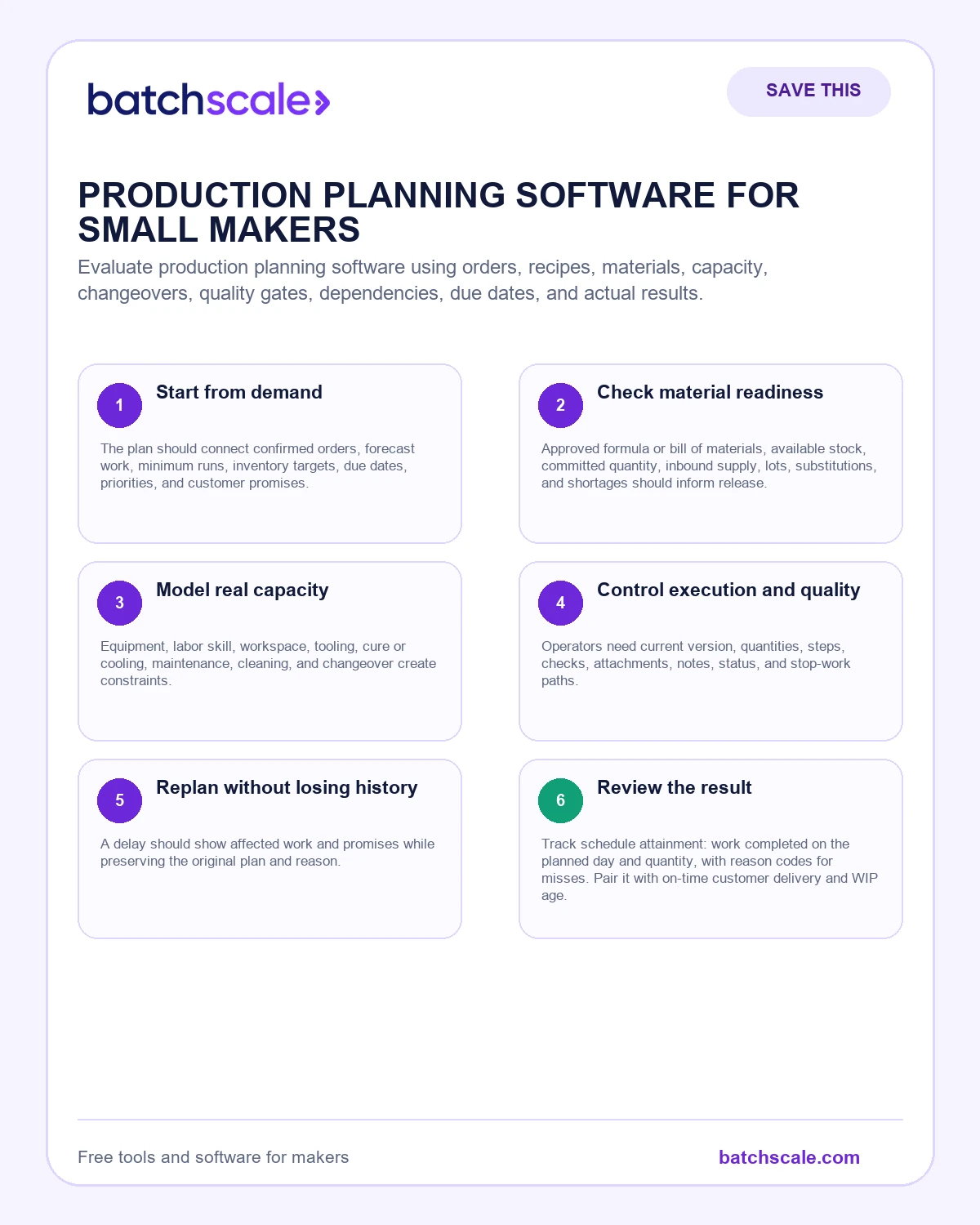
Evaluate production planning software using orders, recipes, materials, capacity, changeovers, quality gates, dependencies, due dates, and actual results.
A calendar can show a batch on Tuesday without knowing whether ingredients arrive Monday, the mixer is already committed, the approved formula changed, cooling occupies racks overnight, or the finished product must pass a release check. Production planning software earns its place by connecting those dependencies.
Small makers do not need the most complex manufacturing system. They need current work, material availability, practical capacity, due dates, instructions, actual results, and exceptions in one understandable flow.
Evaluate with a difficult real week, not a perfect demonstration. Ask the system to handle rush work, a short component, a delayed approval, a split batch, and actual yield. The gaps will become visible quickly.
The quick answer
The outcome is a scored live-workflow evaluation that proves demand, materials, capacity, execution, quality, rescheduling, and learning before a purchase decision. Begin with Choose one difficult recent week and reconstruct every order, material shortage, equipment constraint, quality hold, change, actual output, and late promise across the systems currently used. The first operating priorities are start from demand and check material readiness; the working system then has to support model real capacity, control execution and quality, replan without losing history. Keep the scope narrow enough that the decision can be tested with real evidence instead of debated through general opinions.
What this looks like in a real maker business
A bakery adopts a visual calendar that makes the month look organized. It does not reserve oven capacity, connect recipes to ingredient stock, or distinguish planned from released work. Staff still checks three spreadsheets before mixing. The next selection uses one wholesale order and one custom order to test material requirements, sequencing, quality gates, actual yield, and rescheduling as a connected workflow.

The practical playbook
Start from demand
The plan should connect confirmed orders, forecast work, minimum runs, inventory targets, due dates, priorities, and customer promises. Users need to see why work exists.
Put it to work: Create one order and trace how it becomes a planned production requirement.
Check material readiness
Approved formula or bill of materials, available stock, committed quantity, inbound supply, lots, substitutions, and shortages should inform release. A date without material status is decoration.
Put it to work: Short one critical component and observe the warning and recovery path.
Model real capacity
Equipment, labor skill, workspace, tooling, cure or cooling, maintenance, cleaning, and changeover create constraints. Infinite-capacity calendars push conflict to the production floor.
Put it to work: Compare proposed load with the production schedule calculator.
Control execution and quality
Operators need current version, quantities, steps, checks, attachments, notes, status, and stop-work paths. Actual material, time, output, waste, defects, and hold must return to the record.
Put it to work: Complete one test work order with a variance and quality exception.
Replan without losing history
A delay should show affected work and promises while preserving the original plan and reason. Dragging cards without evidence makes improvement impossible.
Put it to work: Reschedule a constrained batch and inspect downstream orders, materials, and audit history.
What can go wrong
Review permissions, tenant and customer data, security, backups, export, integration, implementation, uptime, support, mobile use, pricing, and contract exit. Software cannot replace hazard controls, qualified technical review, or required records.
A useful safeguard is to keep the original source record beside the interpretation. If an order, count, supplier date, batch result, customer message, or payment changes, update the decision and preserve why it changed. This prevents a confident dashboard from drifting away from the physical business.
The number that keeps this honest
Track schedule attainment: work completed on the planned day and quantity, with reason codes for misses. Pair it with on-time customer delivery and WIP age.
Use the number as a decision signal, not a performance weapon. Review the definition, compare similar periods, and pair it with quality and customer evidence. A metric becomes dangerous when people improve the displayed result by moving work, cost, or failure outside the measurement.
A simple 30-day implementation
Week 1: establish the baseline
Gather the records described above and keep uncertainty visible. Use actual orders, batches, counts, supplier confirmations, and payment records wherever possible. Mark estimates instead of polishing them into false facts. Choose one product, channel, or workflow narrow enough to finish in a week. A completed small baseline teaches more than a company-wide workbook nobody trusts.
Week 2: change one operating rule
Translate the first two playbook steps into a rule with an owner, trigger, input, decision, and expected output. Save the previous method. Explain the change to everyone whose work or promise is affected. If the rule touches safety, compliance, employment, tax, contracts, or regulated claims, pause for qualified guidance before using a general article as authority.
Week 3: run the rule in real work
Use the rule through a normal cycle. Record exceptions when they happen; do not repair the record after the fact. Keep customer commitments and required controls intact. One exception may be ordinary variation. Repeated exceptions usually mean the threshold, instruction, source data, authority, or capacity assumption needs revision.
Week 4: review the evidence
Compare the baseline with the metric in this guide. Ask what improved, what moved somewhere else, and what new burden appeared. Keep the rule, revise it, or remove it. Write the decision, owner, and next review date. That short history becomes operating memory and prevents the same debate from restarting whenever the founder is tired.
When connected software becomes useful
Spreadsheets and checklists are excellent for learning a method. They become fragile when the same product, formula, material, batch, order, customer, and cost must be updated in several places. Duplicate entry creates version disagreement; delayed entry makes reports look precise while the floor works from different facts.
Connected software should not automate confusion. It should preserve the current product version, show available and committed inventory, connect production with actual material and yield, carry costs into channel decisions, record who changed what, and make exceptions visible. Start with the decision that currently requires the most reconciliation. Add the next workflow only after the first source of truth is dependable.
Questions to ask before you scale the change
- Can a trained person explain the rule and the reason behind it?
- Is the required source data available at the moment the decision is made?
- Does the rule protect product quality, customer expectations, and applicable obligations?
- What evidence would prove the change is helping rather than moving cost elsewhere?
- Who owns an exception, and how quickly must they respond?
- Can the business export the records and reconstruct what happened later?
Growth becomes calmer when decisions leave a trail. The objective is not more administration. It is fewer avoidable surprises and a business that can repeat what works.
Related tools and reading
The bottom line
The outcome is a scored live-workflow evaluation that proves demand, materials, capacity, execution, quality, rescheduling, and learning before a purchase decision. Choose one product or workflow, establish the baseline, and make one observable change. Review the result after a real cycle. Clear evidence, a responsible owner, and a next review date will outperform a dramatic overhaul that the business cannot sustain.
Explore all free tools for makers, browse the Batch Scale resource center, or see how Batch Scale connects costing, inventory, production, orders, and customers.