
Free Excel template · Wholesale
Compare supplier quotes on usable cost, cash, and risk.
Normalize pack sizes, freight, defects, minimums, lead time, payment terms, and excess inventory across supplier quotes.
.xlsx Excel workbook✓ Formulas included✓ Editable✓ Works offline✓ Free
Get the free spreadsheet arrow_downward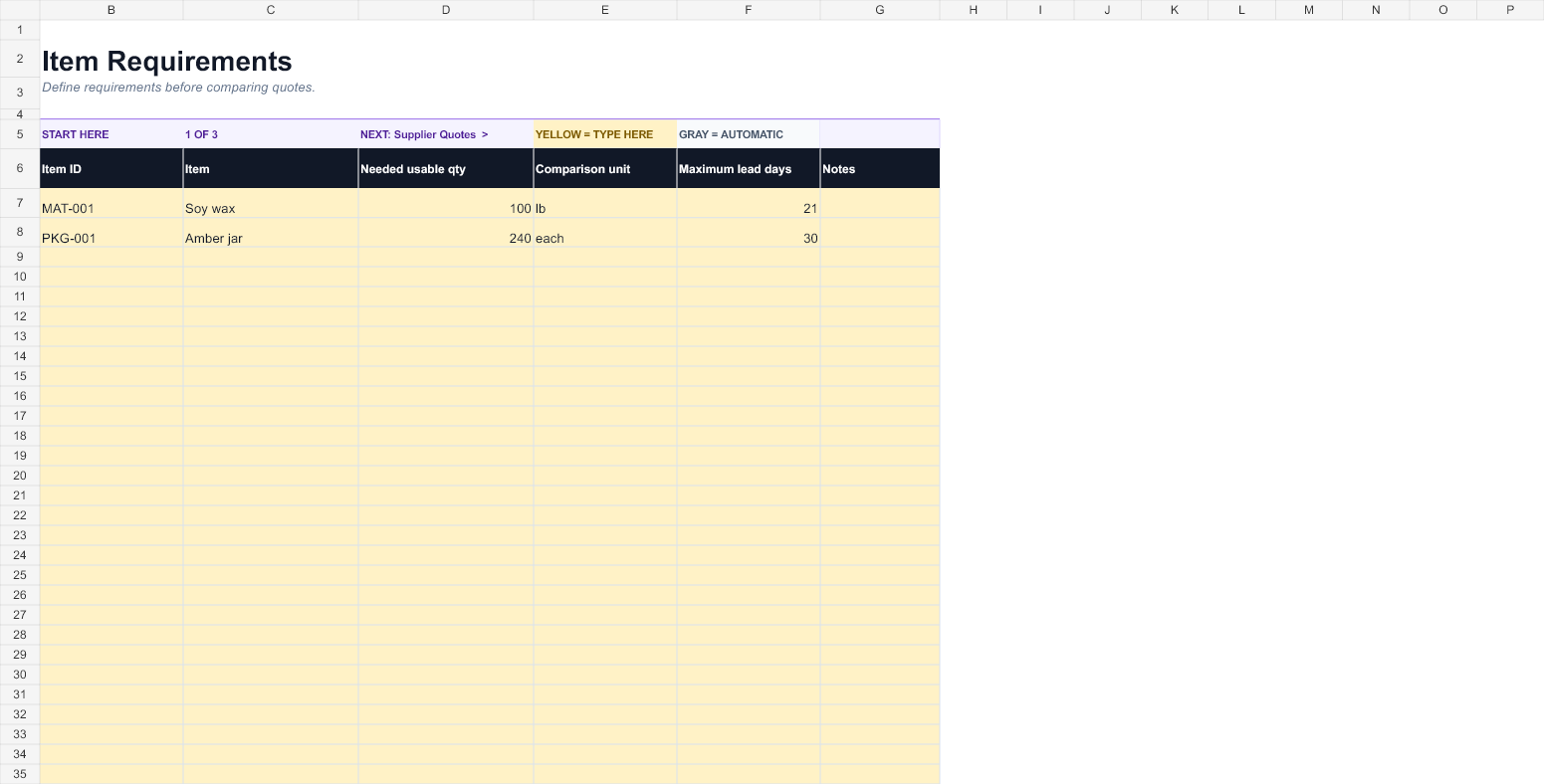
Workbook facts
Know exactly what you are downloading.
This is a complete, editable workbook designed for wholesale work—not a locked preview or an empty shell.
- File
- BatchScale-Supplier-Quote-and-MOQ-Comparison-Spreadsheet.xlsx
- Format
- Microsoft Excel .xlsx
- Current version
- 1.1
- Worksheets
- 4 guided sheets
- Calculations
- Formulas included
- Compatibility
- Excel; importable into Google Sheets
Easy from the first click
It guides you like a simple app.
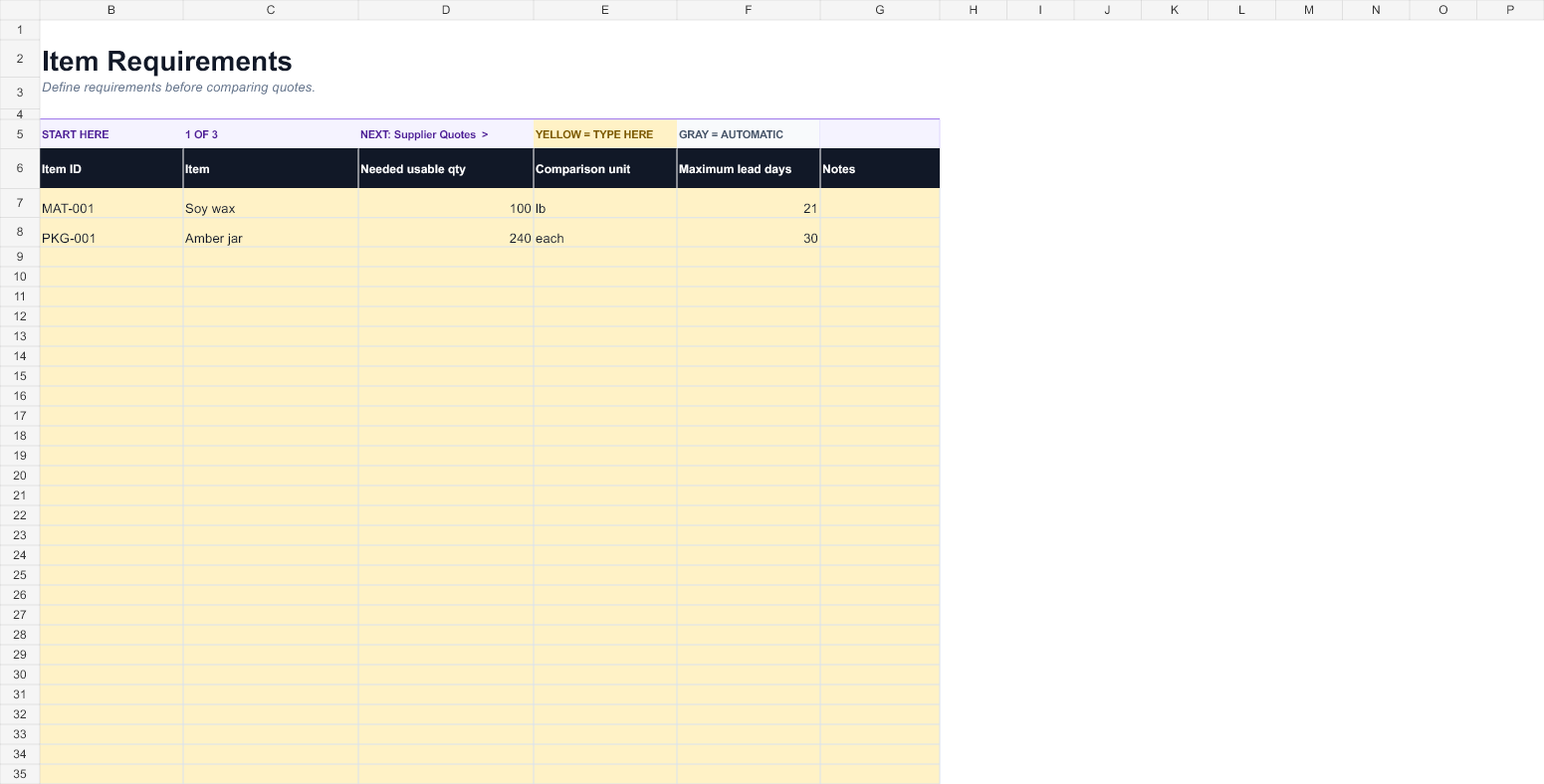
Open the workbook, choose the first sheet, and type only in yellow cells. Start, Back, and Next controls stay above every table, while gray cells calculate automatically.
Pack and unit normalization
Freight and landed cost
MOQ cash requirement
Defect-adjusted usable cost
Lead-time and terms comparison
Click-to-open sheetsSTART HEREItem RequirementsSupplier QuotesComparison
Keep working with your numbers
Download it now. Keep it as long as it helps.
The workbook is complete, editable, and useful on its own. When disconnected spreadsheets become hard to maintain, Batch Scale gives you the connected next step.
verified_user
Useful first
No macros. No intentionally missing formulas. No calculator result gate.
How it works
Start with one real product, order, or planning period.
- 1Define the item, needed quantity, and comparison unit.
- 2Enter each supplier quote exactly as offered.
- 3Review usable landed cost, cash required, excess, and lead time.
- 4Record the decision and non-price tradeoffs.
Worked example
1,000 printed pouches · landed-cost comparison
This illustrative example shows the kind of decision the workbook makes visible. Replace every sample value with current information from your own business.
lightbulb
What it clarifiesA low quoted price is normalized for freight and unusable units before suppliers are compared.
Example inputs
- Quoted unit price
- $0.42
- Freight
- $85.00
- Minimum order
- 1,000
- Expected defects
- 2%
Calculated view
- Cash required
- $505.00
- Usable units
- 980
- Usable landed cost
- $0.52 each
Questions
Before you download
Does the cheapest quote always win?add
No. The workbook identifies normalized cost but keeps lead time, terms, minimums, excess stock, and risk visible for the final decision.
Do I need Microsoft Excel?add
The file is a standard .xlsx workbook. It works best in current Excel and can also be imported into Google Sheets, though some formatting may look slightly different.
Is the spreadsheet really free?add
Yes. The workbook is complete and usable. Your email delivers the file and lets Batch Scale send practical maker-business guidance when you consent.
Can I change the formulas?add
Input cells are clearly marked and formula cells are separated visually. You can make a copy and adapt it, but keep an untouched original so you can recover the built-in calculations.
Ready to stop managing spreadsheets?
Connect costing, inventory, production, purchasing, and sales.
Batch Scale turns separate files and repeated updates into one operating workspace for your maker business.
Try Batch Scale Free arrow_forward